SD
Cull
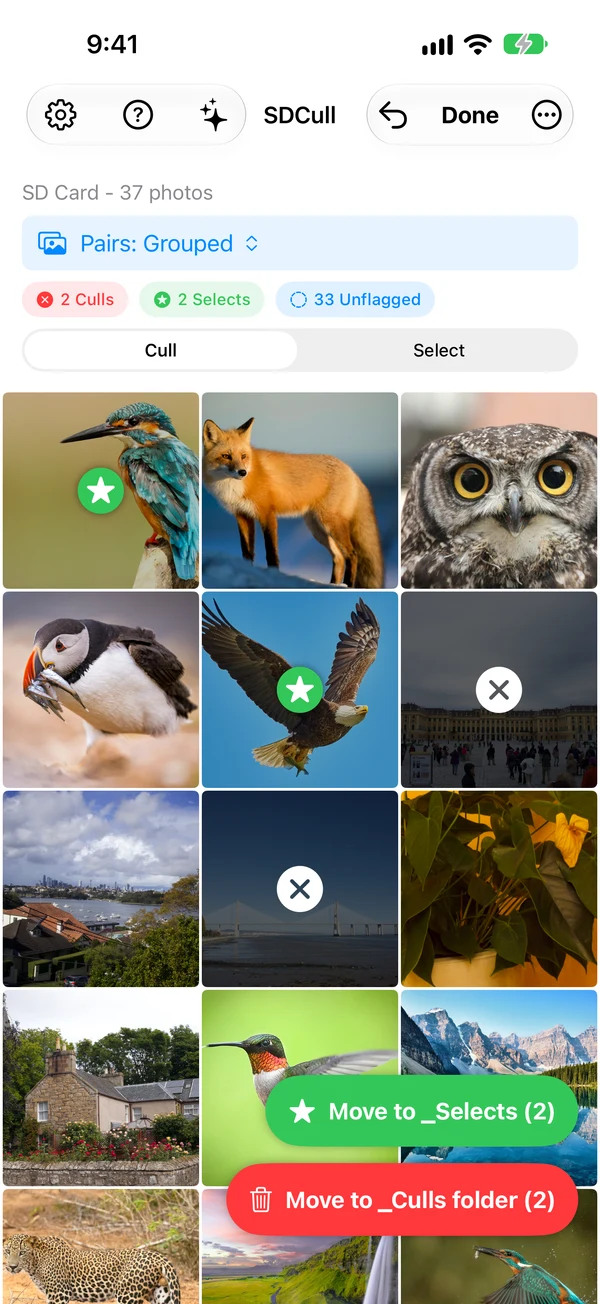
An iPhone and iPad app for photographers who want to sort a shoot before they get home. It reads the photos straight off the SD card, with no import into the Photos library, and lets you flag the rejects and the keepers. One tap moves each group into its own folder.
Specification
From the project READMEA photo culling app for people who shoot in the field and edit at home. It works on the files where they are, on the card or a drive, through the Files app, with no import into the Photos library. Swipe through the shots, flag the rejects and the keepers, and move each group into its own folder in one tap.
Photographers with an iPhone or iPad and a card reader. RAW and JPEG files both work, and a RAW file and its JPEG twin are handled as a pair.
A move copies the file, checks the copy, then deletes the original, so a failure never loses the only copy. Rejects are deleted only in a separate, second step.
Swift and SwiftUI, with Apple frameworks only.
iPhone and iPad on iOS 26.1 or later, through the App Store. The app's page is on oneradstudio.com.
Completely offline. Your photos never leave your device or your drive. The app does not track your files, metadata or activity.
One Rad Studio LLC.
More
If you want to know more about SDCull, write to hello@rcummings.com.